


If you are shopping for a home NAS in 2026, the choice is no longer just about how many drive bays you need. The real decision is whether you want the most polished software experience, the strongest hardware for the money, or a balance of both. That is exactly why Synology vs UGREEN NAS has become such a popular comparison. On one side, Synology remains the familiar name in home and prosumer storage. On the other, UGREEN NAS has gained attention by offering aggressive hardware specs in models like the DXP4800 Pro.
For this comparison, the most sensible matchup is the UGREEN NASync DXP4800 Pro against a current 4-bay Synology option, the DS425+. Both target serious home users who want more than basic backup: think family photo archives, media libraries, personal cloud storage, remote access, and maybe a few containers or light virtualized services. The difference is in how each brand approaches the experience. UGREEN leans hard into hardware value, while Synology continues to lean on its mature DSM ecosystem.
Synology vs UGREEN NAS at a glance
The short answer is this: neither brand is universally “better.” For beginners who care most about a refined software platform and an established app ecosystem, Synology still has a strong case. For home users who want faster networking, a more capable CPU, and room to grow into heavier workloads, the UGREEN NASync DXP4800 Pro looks especially compelling on paper.
That distinction matters because most home buyers are not just storing files anymore. They want one box that can back up phones and laptops, stream media, organize photos, sync files remotely, and stay fast even when several tasks happen at once. In that kind of mixed-use home setup, hardware and software both matter.
Why the UGREEN NASync DXP4800 Pro stands out
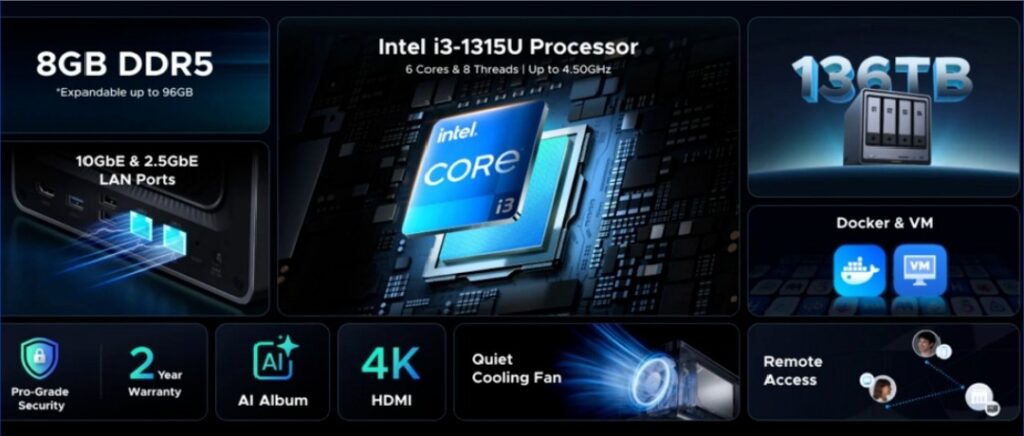
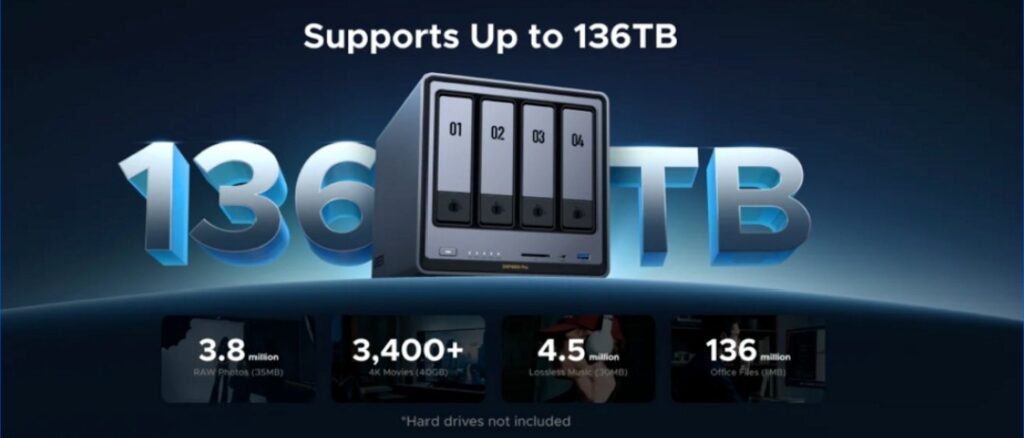
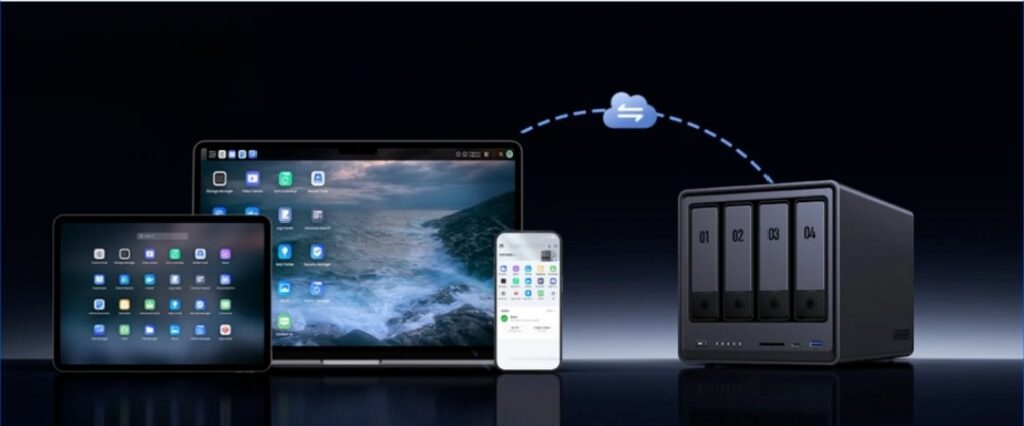
The DXP4800 Pro is clearly designed to appeal to demanding home users. UGREEN lists it as a 4-bay, diskless NAS with support for up to 136TB of storage, an Intel Core i3-1315U processor, dual M.2 NVMe SSD slots, and 10GbE + 2.5GbE networking. The product page also highlights concurrent demanding tasks such as Docker containers, virtual machines, file sync, and media transcoding, along with private cloud features, AI-assisted photo organization, and remote access.
For a home user, that spec sheet translates into something simple: headroom. The UGREEN NAS is not just built for basic backups. It is built for the user who starts with backups and media, then gradually adds more—photo management, remote file access, SSD caching, smart home backups, maybe even a few containers. That “grow with you” appeal is a big part of why the DXP4800 Pro feels different from many traditional entry-to-midrange NAS boxes. This is an inference from its CPU, networking, and storage expandability.
Where Synology still holds a major advantage
Synology’s strongest argument is not raw hardware. It is the overall platform experience. Synology says DiskStation Manager, or DSM, is the intuitive operating system that powers every Synology NAS, and that DSM 7.3 is available now. The DSM page emphasizes multimedia, file management, backup, syncing, sharing, and modular packages, which aligns closely with what most home users actually want from a NAS.
That matters because a NAS is not judged only by its CPU or Ethernet ports after the first week. It is judged by the daily experience: how easy it is to set up shared folders, how smoothly backups run, how intuitive photo access feels, how simple remote access is, and how comfortable the interface remains months later. Synology has built a reputation around exactly that type of polish, and the DSM platform is a real part of the buying decision.
Hardware comparison: DXP4800 Pro vs Synology DS425+
If you compare the two boxes directly, the UGREEN NASync DXP4800 Pro has the more aggressive hardware profile. UGREEN lists an Intel Core i3-1315U, while Synology lists the DS425+ with an Intel Celeron J4125. The DS425+ is also a compact 4-bay model with two M.2 NVMe slots, but its built-in networking is more conservative: one 1GbE port and one 2.5GbE port. By contrast, the DXP4800 Pro offers 10GbE + 2.5GbE, which immediately makes it more attractive for users who move large files, edit over the network, or want faster future-ready LAN performance.
In real home use, those differences are not just geeky spec-sheet trivia. A stronger processor usually means more breathing room when multiple services run together. Faster networking can be the difference between a NAS that merely stores files and one that actually feels quick during large transfers, multi-device backups, or heavier media workflows. Meanwhile, both systems offering M.2 NVMe support is important because SSD caching can improve responsiveness in everyday tasks such as app loading, previews, and general system interaction.
Which NAS is better for common home use cases?
For family photo backup and personal cloud storage, both brands make sense. Synology benefits from its mature DSM environment and long-standing focus on data organization and sharing. UGREEN, meanwhile, promotes private cloud ownership, flexible permissions, AI photo sorting, duplicate removal, and remote access, which directly address the needs of modern home users who want to centralize photos and files outside the big public cloud platforms.
For media libraries and heavier multitasking, the DXP4800 Pro has the more obvious performance story. UGREEN explicitly says the system is built to handle demanding concurrent tasks including media transcoding, Docker containers, and virtual machines. That gives the UGREEN NAS a stronger pitch for buyers who expect their NAS to do more than just sit quietly in the corner storing backups.
For beginners, Synology still feels like the safer recommendation if ease and software familiarity matter more than maximum hardware value. But for users who are comfortable learning a new interface in exchange for faster networking and a more capable CPU, the DXP4800 Pro may be the more exciting buy.
Price, value, and long-term thinking
Value is where this comparison gets interesting. Synology remains attractive because buyers are not just paying for a box; they are paying for a mature platform. At the same time, the UGREEN NASync DXP4800 Pro makes a strong value argument by bundling higher-end connectivity and a more powerful processor into a 4-bay home NAS design. UGREEN also lists a 2-year warranty, while Synology lists a 3-year hardware warranty, extendable to 5 years in some regions, which may matter to cautious buyers thinking long term.
That does not mean one brand wins outright on value for every person. It means “value” depends on what you value. If software maturity saves you time and headaches, Synology may feel worth the premium. If stronger specs delay your next upgrade and unlock heavier use cases sooner, the DXP4800 Pro may be the smarter investment.
Final verdict: Synology or UGREEN NAS?
For most home users, the answer comes down to priorities.
Choose Synology if you want the most mature and polished NAS software experience, a familiar ecosystem, and a platform that feels immediately approachable. DSM remains one of Synology’s biggest advantages, and that matters every single day you own the device.
Choose the UGREEN NASync DXP4800 Pro if you want stronger hardware for the money, faster built-in networking, and a NAS that feels ready for heavier home workloads from day one. The combination of Intel Core i3-1315U, 10GbE + 2.5GbE, dual M.2 NVMe slots, and support for up to 136TB gives the UGREEN NAS a very strong home-user value proposition.
So, which NAS is better? For pure software confidence, Synology still has the edge. For hardware ambition and overall spec value, the DXP4800 Pro is the more compelling challenger. And for many home users in 2026, that may be exactly what makes UGREEN worth a serious look.
